


SCARS Institute’s Encyclopedia of Scams™ Published Continuously for 25 Years


Smartphone Ads: Scams and Abuse – Interstitial Ads are Designed to Manipulate and Deceive
How Interstitial Smartphone Ads Turn into Mobile Scamware and Abuse Cellphone Users
How Scams Work // Catalog of Scams – A SCARS Institute Insight
Article Abstract
Many mobile phone users unknowingly face scam tactics through interstitial smartphone ads that hijack their screens, confuse their actions, and install unwanted apps without permission. These deceptive ads appear in free apps and games, using manipulative design to force interaction, delay exit options, or silently launch app stores. Developers choose aggressive ad software to boost profits, even when it breaks user trust and violates app store policies. These ads often disguise themselves as close buttons or navigation cues, trapping users in loops of unwanted behavior. Users have the right to clear control and immediate ad dismissal. When apps override those rights, they cross the line into scamware. App stores prohibit this behavior and provide tools to report violators. Reporting deceptive ads helps remove abusive apps, protect others, and support ethical developers. Users can also take protective steps such as checking for unwanted installs, limiting permissions, and comparing their app drawer regularly. Interstitial ad abuse depends on user confusion and silence. Calling it out reclaims control and helps restore a mobile ecosystem built on trust, not trickery.
How Interstitial Smartphone Ads Turn into Mobile Scamware and Abuse Cellphone Users
Most users encounter smartphone ads abuse in the form of interstitial ads while using free mobile apps.
These Smartphone Ads take over the screen and require the user to jump through hoops to get rid of them without compromising their mobile phone.
User just want to close them and return to their game or content, but instead, they face multiple buttons, delay timers, confusing icons, or the ad silently opens the app store. No permission was given. That is a scam tactic. Legitimate apps avoid deceptive ad flows. They respect user control. Many interstitial ads hijack intent and action. They force installs, trigger errors, or install hidden apps without permission. When the user taps “close,” a disguised link often opens the install page. When they try the back button, the ad redirects again. That is not a glitch. That is deliberate deceptive design. And that is a scam, and an abuse.
The Mechanics of Smartphone Ads Interstitial Scamware
Deceptive interstitial ads use several manipulative techniques:
- Disguised clicks: Ad overlays mimic icons such as “X,” back arrows, or directional arrows. All of them can launch the app store.
- Forced engagement: Many ads block the close button for several seconds. Some require watching a video or tapping a moving image. The user touches the screen before a real “X” appears.
- Hijacked navigation: The ad intercepts swipe gestures or the back button, then opens links or refreshes itself.
- Stealth launch: After the ad appears to close, a new app may suddenly appear on the user’s home screen without explicit permission.
Widespread Abuse in Legitimate Apps
Thousands of seemingly legitimate free apps push additional installs through these interstitial tricks in smartphone ads. Some promote malware, while others promote legitimate apps in ways that violate store policies. These apps often run third-party ad SDKs (Software Development Kits) that launch unauthorized content or redirect installs. A user may open a basic third-party app; such as a flashlight or weather tool, and later find a random wallpaper app installed, without any request for approval being made.
Why Developers Do This
Mobile app developers often operate in a highly competitive and financially unstable environment. Most free apps earn little income through user engagement alone. Instead, they depend heavily on advertising to make money. Standard ad impressions, such as simple banners or static screens, generate very small payouts. In contrast, ad networks pay significantly more when a user clicks an ad or installs another app. Some ad networks offer payouts even when the installation occurs without the user’s clear permission. This payment model creates strong incentives for developers to prioritize revenue over user control.
Developers often choose to include aggressive ad software development kits because they promise higher earnings. They know these SDKs include tactics like delayed close buttons, misleading visual cues, and automatic redirection to app stores. These features push users toward unwanted interaction. Many developers accept these practices as necessary if they want to keep their app visible or profitable. They rarely disclose these tactics to users, and they often avoid giving clear settings to limit ad behavior.
This decision undermines user trust. It compromises user safety, clutters the mobile experience, and contributes to a growing ecosystem of apps designed to manipulate rather than serve. Developers who adopt these tactics play an active role in normalizing unethical design.
User Rights and Platform Rules
Every mobile user has the right to a safe, clear, and honest experience. This includes the right to close advertisements immediately without being forced to interact with them first. Users also have the right to deny any attempt at background installations. No app should ever install anything on a device without the user’s clear, informed consent. Basic expectations such as transparency, voluntary interaction, and straightforward controls form the foundation of ethical app design.
Both Google Play and the Apple App Store have written policies that explicitly prohibit misleading or manipulative behavior. Their guidelines require developers to present ads in a way that does not trick or pressure the user. Apps must provide a visible, clearly labeled close button and must never force users into an unintended action. This includes launching the app store without approval, disguising ads as normal features, or requiring taps before an ad can be dismissed.
When an app violates these standards, users have the right to take action. You can report offending apps directly through the app store’s reporting tools. Doing so helps prevent further abuse and protects others. Reporting unethical behavior is not only a personal safeguard, it also helps raise the overall quality and safety of the app marketplace.
Protective Steps Against Smartphone Ads Interstitial Scamware
Users should watch for misleading smartphone ads’ visuals, absent or delayed close buttons, and suspicious redirects. If an ad overrides navigation controls or triggers unexpected store app install page launch, the best step is to exit the app completely. Afterwards, users should check for unwanted apps on the home screen or app drawer and remove anything unfamiliar.
Anti-Scam Tip: Open your apps drawer (show all apps), then take a screenshot(s) to capture what apps were originally installed. Then compare what they see with the photos to see if something new and unknown was installed. Doing a company at least monthly is essential.
Settings also provide tools to limit this behavior. Android users can restrict “install unknown apps.” iPhone users receive warnings before profile installs. Any request to approve permissions during or directly after viewing an ad should raise concern.
How to Report These Abuses
To report on Google Play, users should open the offending app’s page, use the menu, and report under the “Ads” category. Descriptions should include specific issues such as missing close buttons or unauthorized installs. On iOS, users can use the App Store listing or the developer’s support page to report the app. Screenshots and details help enforcement teams understand the violation.
There is often a very tiny (i) info icon that displays information about the ad and allows reports about it. These typically go to the app store abuse department.
How to Report Inappropriate Ads in Mobile Apps
Users often encounter misleading or inappropriate ads while using mobile apps. Reporting these ads plays a critical role in maintaining app quality and user safety. Most apps include built-in tools for reporting problematic advertisements, although the exact method varies by platform. A report typically includes a description, screenshots, and the context in which the ad appeared. Proper reporting allows support teams to investigate and take action against unethical ad practices.
Step 1: Locate the Reporting Option
In many apps, a reporting function appears within or alongside the ad. Users should look for a small icon, often three dots, a gear, or a share symbol. Tapping that icon may open a menu with a Report or Feedback option. Some apps include reporting tools in their main settings under Help & Feedback or Support. If the ad promotes a different app, users can report it through the app store by visiting the offending app’s detail page.
Step 2: Follow the App’s Instructions
Once the report form opens, users should provide as much information as possible. This includes a clear explanation of why the ad was inappropriate—whether it contained offensive content, made false claims, encouraged scams, or used manipulative designs. A screenshot helps reviewers identify the exact ad. Users should also note the date, time, and location where the ad appeared to help developers trace its origin.
Step 3: Submit the Report
Before submitting, users should review their report for clarity and completeness. Some apps provide an email confirmation after a report has been submitted. This confirmation may also contain a reference number for future updates or follow-ups.
Step 4: Follow Up if Needed
Some developers respond to ad reports with an investigation status or resolution notice. If the problem persists or the developer fails to respond, users can file additional reports or escalate through the app store’s reporting tools. It is also helpful to review the app’s ad policy. Many developers post specific content guidelines either in the app’s settings or on their official website.
Examples of Ad Reporting Methods
-
- TikTok: Tap the Share icon on the ad, choose Report, and follow the on-screen instructions.
- Reddit: Tap the overflow icon on the ad, select Report, choose the reason, then tap Submit.
- YouTube: Use the Report this ad link next to the ad or submit a report using the official form.
- Google Play Store: Visit the app’s page, tap More, then Flag as inappropriate to report the ad or app.
- Zynga / Words With Friends: Navigate to Profile > Settings > Help > Inappropriate Ads to report abusive content.
Reporting inappropriate ads improves digital safety and reduces exposure to harmful or deceptive material. When users take time to report violations, they help enforce ethical advertising standards and keep mobile platforms more secure for everyone.
Why Reporting Matters
If unchecked, these practices will continue to exploit user attention and devices. They erode trust in the entire mobile app ecosystem. When users report and uninstall deceptive apps, they help create financial consequences for unethical developers and networks.
This action supports honest developers who follow the rules. It helps keep free apps safe, clean, and user-friendly. Every report strengthens accountability and shifts the balance toward respect and transparency.
The app stores have proven that they are responsible to ad reports and do take action against them.
Conclusion
Interstitial ads must respect user agency and control. They must allow immediate closure and avoid manipulation. Any ad that tricks the user into an install or obstructs control crosses the line into scamware. Clear navigation, proper consent, and honest interfaces build better apps and better user experiences.
Apps do not own the user. Ads do not own the device. The user remains in charge when they choose to be.
Examples
Click Image To See
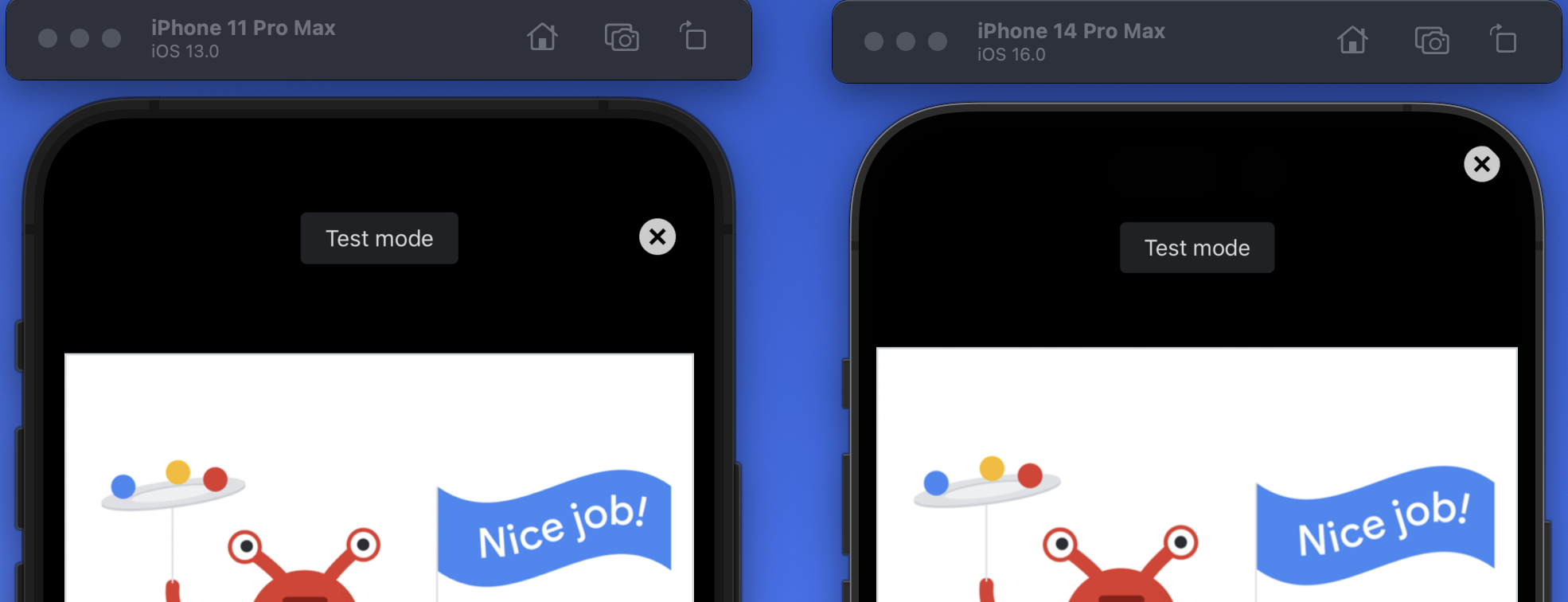
Example of standard close button
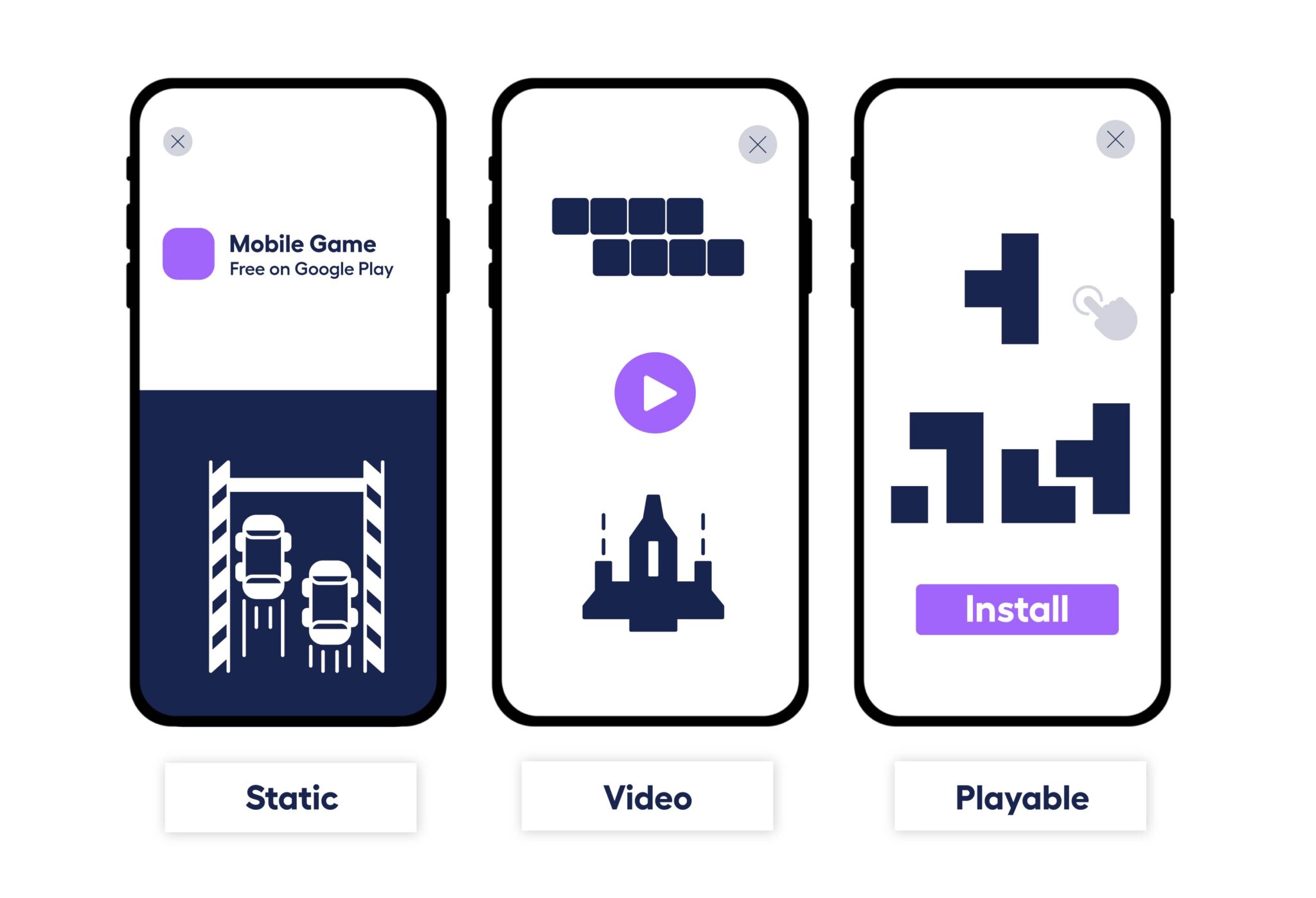
Example of standard close button

Example of hidden or deceptive / non-standard close button
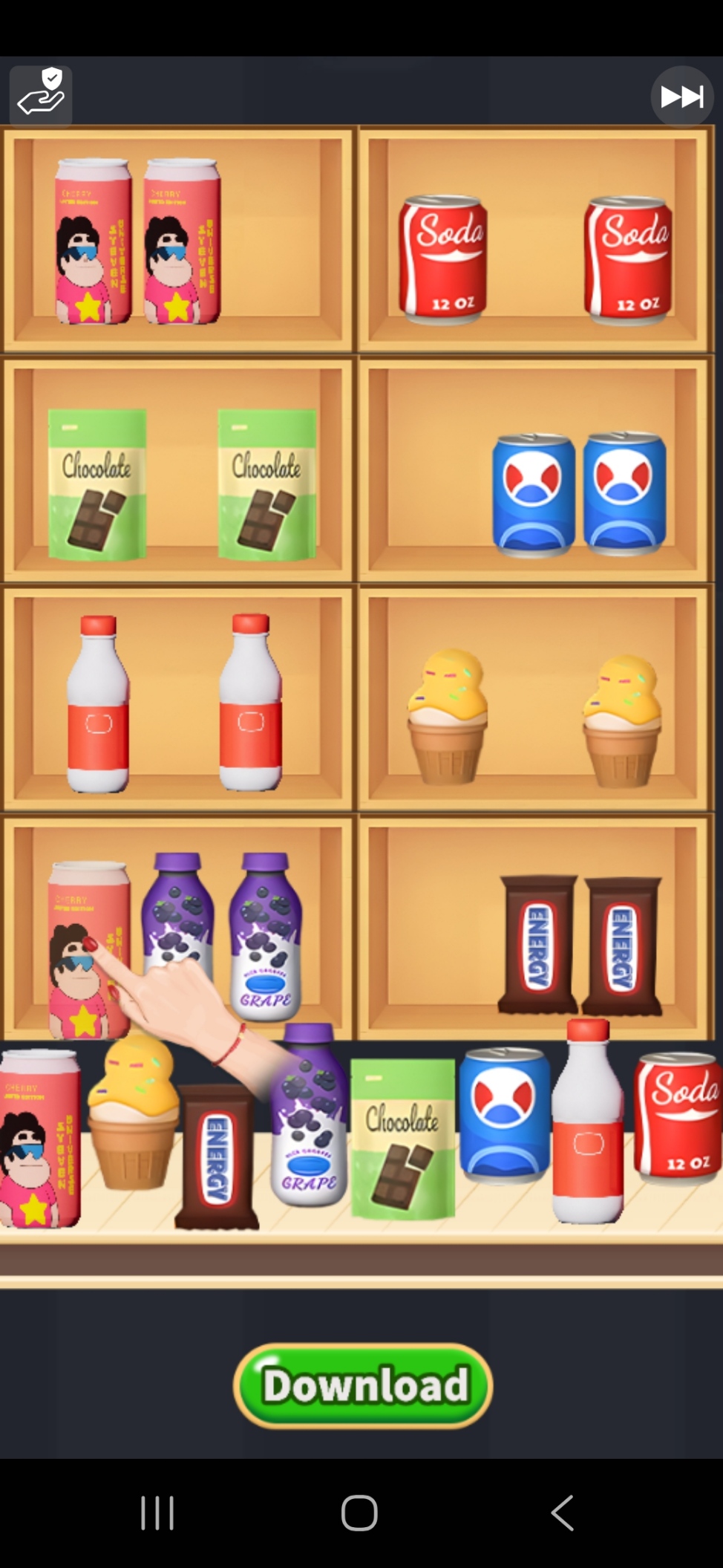
Example of hidden or deceptive close button with countdown timer

Example of hidden or deceptive close button time delayed

Example of hidden or deceptive close button
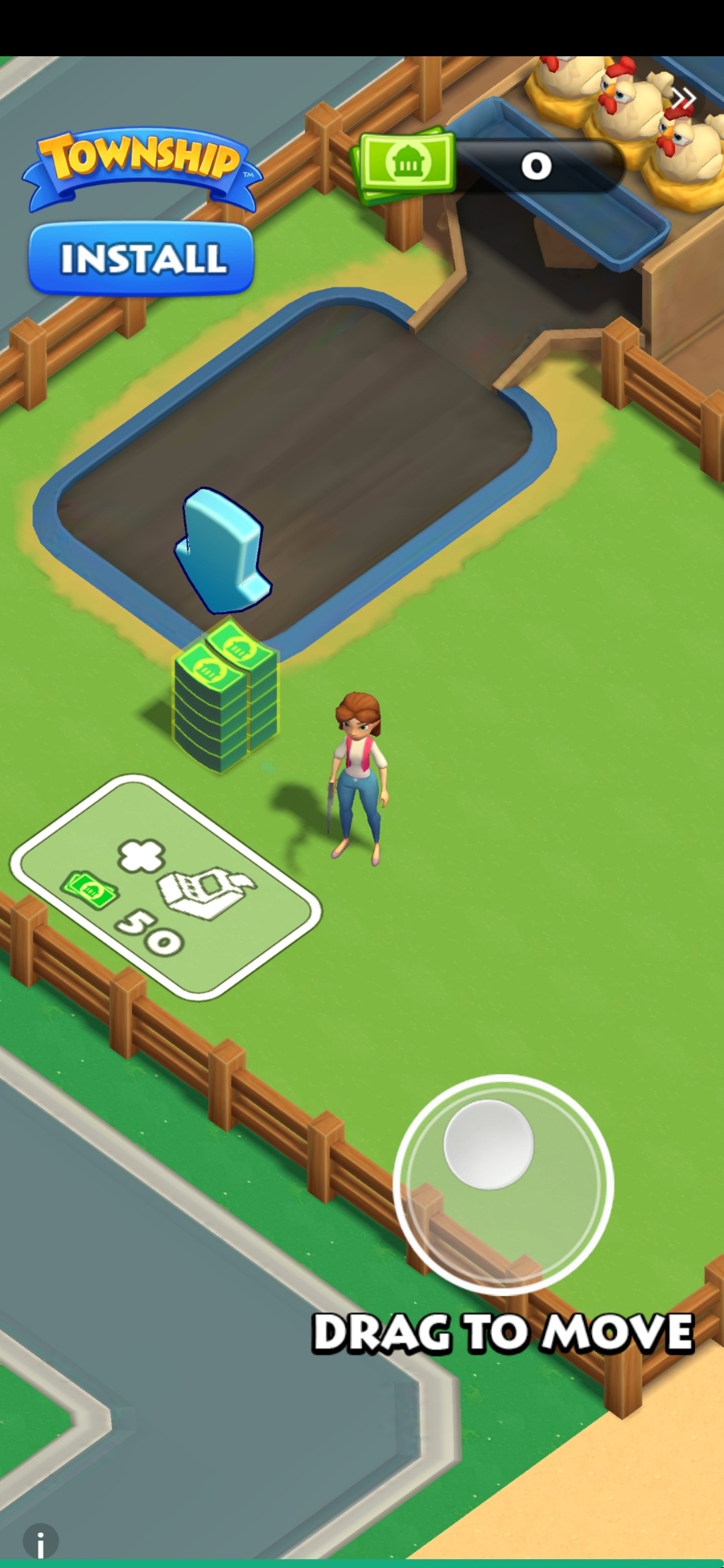
Example of hidden or deceptive close button which requires interaction and App Store Install Page view

Example of hidden or deceptive close button that requires interaction before it appears
-/ 30 /-
What do you think about this?
Please share your thoughts in a comment below!
Table of Contents




Rapid Report Scammers

In the U.S. & Canada
U.S. & Canada Suicide Lifeline 988
LEAVE A COMMENT?
Recent Comments
On Other Articles
- Wendy Guiher on 15 Things That Nearly Every Online and Phone Scams Have In Common – 2026: “Very concise, direct information. When I look back on the crime against me I now can see ALL of the…” Apr 1, 06:24
- on The Danger of Using AI in Law Enforcement – The Grandmother Wrongly Arrested as a Fraudster – 2026: “Excellent article – I can’t imagine the terror Angela most certainly experienced. Compound this with the lack of accountability by…” Mar 24, 09:20
- on The Crazy Gregor MacGregor and the Country of Poyais Scam – History of Scams – 2026: “interesting” Mar 23, 19:24
- on BEC Fraud Reaches $43 Billion Per Year: “oh my gosh so much of an increase in the fraud I pray the officials can continue tracking and make…” Mar 23, 15:09
- on Establishing The United States Task Force To Eliminate Fraud – 2026: “Make Online Safe Again!” Mar 17, 19:11
- on Establishing The United States Task Force To Eliminate Fraud – 2026: “Finally an administration takes the initiative to help solve the gigantic situation. Make America Safe Again, thank you!” Mar 17, 15:41
- on What Is The Difference Between A Scam Victim And A Scam Survivor? [Updated]: “Due to my scams I don’t fully trust anyone online and I shouldn’t even those people I knew in high…” Mar 7, 12:46
- on SCARS 3 Steps For New Scam Victims 2024: “I was very fearful “he” would come to my home because I was knew my address, I spoke to someone…” Mar 7, 09:50
- on Sadness & Scam Recovery: “Before my scam, my mom passed away and I got a divorce, so I was dealing with the loss of…” Mar 7, 09:37
- on The Story Of Kira Lee Orsag (aka Dani Daniels) [Updated]: “There is NO evidence and she is not, she is a victim too. Sebastian, stop letting your anger think for…” Mar 6, 23:18
ARTICLE META
Important Information for New Scam Victims
- Please visit www.ScamVictimsSupport.org – a SCARS Website for New Scam Victims & Sextortion Victims
- Enroll in FREE SCARS Scam Survivor’s School now at www.SCARSeducation.org
- Please visit www.ScamPsychology.org – to more fully understand the psychological concepts involved in scams and scam victim recovery
If you are looking for local trauma counselors please visit counseling.AgainstScams.org or join SCARS for our counseling/therapy benefit: membership.AgainstScams.org
If you need to speak with someone now, you can dial 988 or find phone numbers for crisis hotlines all around the world here: www.opencounseling.com/suicide-hotlines
A Note About Labeling!
We often use the term ‘scam victim’ in our articles, but this is a convenience to help those searching for information in search engines like Google. It is just a convenience and has no deeper meaning. If you have come through such an experience, YOU are a Survivor! It was not your fault. You are not alone! Axios!
A Question of Trust
At the SCARS Institute, we invite you to do your own research on the topics we speak about and publish, Our team investigates the subject being discussed, especially when it comes to understanding the scam victims-survivors experience. You can do Google searches but in many cases, you will have to wade through scientific papers and studies. However, remember that biases and perspectives matter and influence the outcome. Regardless, we encourage you to explore these topics as thoroughly as you can for your own awareness.
Statement About Victim Blaming
SCARS Institute articles examine different aspects of the scam victim experience, as well as those who may have been secondary victims. This work focuses on understanding victimization through the science of victimology, including common psychological and behavioral responses. The purpose is to help victims and survivors understand why these crimes occurred, reduce shame and self-blame, strengthen recovery programs and victim opportunities, and lower the risk of future victimization.
At times, these discussions may sound uncomfortable, overwhelming, or may be mistaken for blame. They are not. Scam victims are never blamed. Our goal is to explain the mechanisms of deception and the human responses that scammers exploit, and the processes that occur after the scam ends, so victims can better understand what happened to them and why it felt convincing at the time, and what the path looks like going forward.
Articles that address the psychology, neurology, physiology, and other characteristics of scams and the victim experience recognize that all people share cognitive and emotional traits that can be manipulated under the right conditions. These characteristics are not flaws. They are normal human functions that criminals deliberately exploit. Victims typically have little awareness of these mechanisms while a scam is unfolding and a very limited ability to control them. Awareness often comes only after the harm has occurred.
By explaining these processes, these articles help victims make sense of their experiences, understand common post-scam reactions, and identify ways to protect themselves moving forward. This knowledge supports recovery by replacing confusion and self-blame with clarity, context, and self-compassion.
Additional educational material on these topics is available at ScamPsychology.org – ScamsNOW.com and other SCARS Institute websites.
Psychology Disclaimer:
All articles about psychology and the human brain on this website are for information & education only
The information provided in this article is intended for educational and self-help purposes only and should not be construed as a substitute for professional therapy or counseling.
While any self-help techniques outlined herein may be beneficial for scam victims seeking to recover from their experience and move towards recovery, it is important to consult with a qualified mental health professional before initiating any course of action. Each individual’s experience and needs are unique, and what works for one person may not be suitable for another.
Additionally, any approach may not be appropriate for individuals with certain pre-existing mental health conditions or trauma histories. It is advisable to seek guidance from a licensed therapist or counselor who can provide personalized support, guidance, and treatment tailored to your specific needs.
If you are experiencing significant distress or emotional difficulties related to a scam or other traumatic event, please consult your doctor or mental health provider for appropriate care and support.
Also read our SCARS Institute Statement about Professional Care for Scam Victims – click here to go to our ScamsNOW.com website.


Thank you for your comment. You may receive an email to follow up. We never share your data with marketers.