

Passwords vs. Passkeys – The New Reality – 2025

SCARS Institute’s Encyclopedia of Scams™ Published Continuously for 25 Years
- Published: July 12, 2025
- Modified: July 12, 2025
- Comments: 0
- Read Status:

Passwords vs. Passkeys – The New Reality
Securing the Digital Self After a Scam: Why Passkeys Are the Future of Online Safety for Scam Victims and Passwords are Obsolete
Online Safety – A SCARS Institute Insight
Article Abstract
After a scam, rebuilding digital security is one of the most important steps a victim can take. Traditional passwords leave survivors vulnerable to reuse, phishing, and further compromise. Passkeys provide a modern solution that replaces passwords with device-based authentication, such as biometrics or a secure PIN. This new system dramatically reduces risk while improving ease of use. Scam victims benefit from enhanced protection, fewer login hassles, and greater control over their accounts. Major tech companies already support passkeys, making them widely accessible. For anyone recovering from betrayal, switching to passkeys is not just a smart security move—it is a powerful way to regain confidence and begin the next chapter with safer habits and greater peace of mind.
Securing the Digital Self After a Scam: Why Passkeys Are the Future of Online Safety for Scam Victims and Passwords are Obsolete
When someone falls victim to a scam, one of the first and most important steps in recovery is securing their online accounts. Passwords have been the traditional defense, but they often fail due to reuse, phishing, or brute force attacks. Passkeys represent a modern, more secure method—one that enhances protection without adding complexity. In this full‑length article, the focus lies on explaining how passkeys work, why they matter especially to scam survivors, and how they improve cybersecurity in meaningful ways.
Why Passwords Fall Short after a Scam
Many people rely on passwords that seem easy to remember. However, an alarming number of data breaches target reused or simple passwords. Scammers frequently capture credentials through phishing or malware. Inevitably, once scammers gain access to one account, they often pivot to others—most commonly email platforms, financial sites, and social media. That cascade of compromise can amplify an already painful scam into a full identity crisis.
Victims already deal with emotional turmoil. They deserve account protection that dramatically reduces risk rather than adding burden. A password that is shared, weak, or stolen undermines a sense of safety. Enter passkeys—a technology designed to replace passwords with stronger, simpler authentication.
Understanding Passkeys
Passkeys transform the login process by removing passwords and instead relying on:
- Something you have, typically a phone or computer
- Something you are, such as a fingerprint or face scan
Behind the scenes, passkeys use a cryptographic duo:
- A public key stored on the service side
- A private key held securely on the user’s device
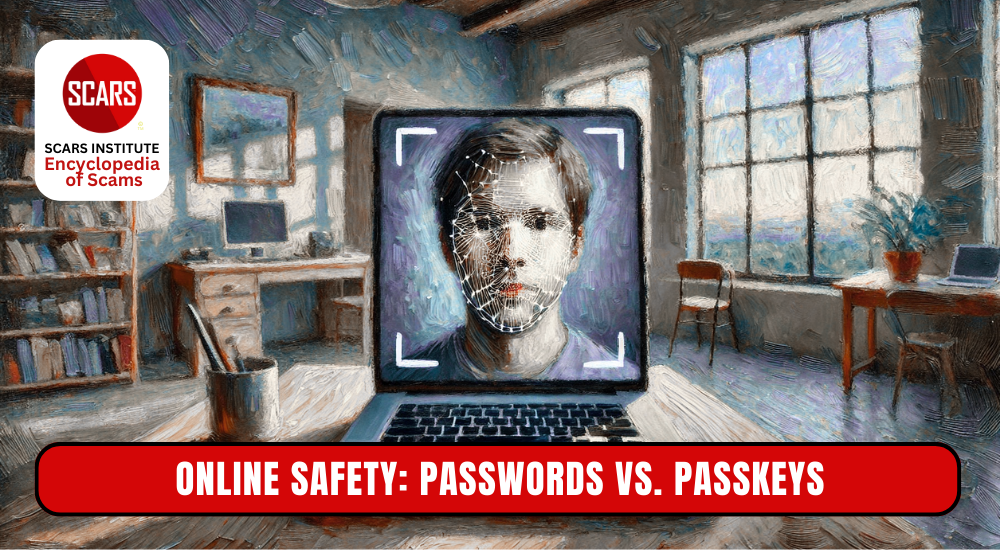
When a user tries to sign in, the device verifies identity with a biometric scan or PIN, signs a challenge cryptographically, and the server confirms the public/private key pair matches. The result is a login process that feels quick, intuitive, and far more secure than any typed password.
Why Passkeys Matter for Scam Survivors
Passkeys offer specific advantages for people who have been targeted by scams:
- Team security. With no password to steal or phish, scammers cannot trick users into providing credentials.
- Personal control. The private key remains locked on the user’s device—no external exposure.
- Resistance to reuse. Since each service has its own unique key, passkeys prevent credential stuffing attacks.
- Fewer security steps. Passkeys often feel faster and more reliable than juggling passwords and MFA codes.
For someone recovering from a betrayal, these benefits help rebuild digital confidence.
Who Supports Passkeys Today
Major technology companies have already adopted passkeys:
- Google uses passkeys for Gmail, YouTube, and more
- Apple supports passkeys across iOS, macOS, and Safari
- Microsoft enables passkeys for Microsoft 365, Xbox, and Windows
- Websites such as Amazon, Facebook, and eBay support passkeys
Most modern devices—iPhones, Android phones, Macs, and PCs—include built‑in hardware for passkeys. The infrastructure now exists to make passkeys practical and widespread.
Step‑by‑Step Guide to Set Up a Passkey
To set up passkeys, you’ll typically need to navigate to your account settings on a website or within an application that supports them, then find the option to create a passkey. You’ll then be prompted to use your device’s screen lock (like fingerprint or face ID) to create and save the passkey.
- Visit a supported website or app and sign in with your usual method.
- When prompted to “Create passkey” or “Use this device,” follow instructions.
- Use Face ID, fingerprint, or device PIN to verify identity.
- Let the system store your passkey. It may sync across devices like your phone and tablet.
- To sign in later, choose “Use passkey” and authenticate—no password needed.
- Want access on a different device or operating system? Most sites offer QR‑code scanning or send a link to your phone for approval.
Passkeys vs. Multifactor Authentication (MFA)
MFA requires two factors—often a password plus something else like a one‑time code. Passkeys combine two factors from the start: possession (your device) and biometrics or PIN. This structure provides strong security while reducing login steps.
Transition Period: Don’t Abandon Password Good Habits
While passkeys gain momentum, many services still use passwords. Scam victims should:
- Use unique, complex passwords for each account
- Enable MFA wherever offered
- Employ a trusted password manager
These practices safeguard accounts until passkeys become universal.
How Passkeys Improve Security
- Eliminate phishing risk: No password to capture
- Keep keys secure: Secret information always stays on the user’s device
- Stop credential misuse: Each passkey is unique to a specific service
- Simplify logins: Quick and reliable without repeated code entry
Overcoming Misconceptions
Some worry about losing access when a device fails. Reliable passkey ecosystems back up to secure cloud storage tied to the operating system. Users can also register backup passkeys on other devices. And if needed, users can still log in by alternate means like email recovery or support lines.
Practical Tips for Scam Survivors
- Start with essential accounts: email, bank, investment platforms
- Set up passkeys in stages—no need to change everything at once
- Use backup passkeys or trusted secondary devices for recovery
- Continue regular security checks and update recovery options
Broader Benefits Beyond Security
Passkeys can improve digital habits in recovered scam victims by:
- Reducing anxiety around forgotten passwords
- Encouraging healthy technology use
- Building confidence as they regain control
Where Passkeys Will Go Next
Cybersecurity experts predict:
- Wider adoption beyond tech giants—especially financial and healthcare institutions
- Improved device interoperability
- Smart authentication driven more by biometrics and less by codes
These trends benefit everyone, especially those rebuilding their digital lives after scams.
Final Thoughts
Passwords have served a purpose, but they also expose users to common threats. For someone recovering from a scam, securing accounts becomes a path to regaining control. Passkeys offer strong protection, ease of use, and future‑proof security. Every recovered victim can take one step closer to safety by switching to passkeys whenever possible. The technology already exists. It protects where it matters most. It helps people feel secure again—online and beyond.
Conclusion
Passkeys may sound complicated, but setting them up feels simple. For scam survivors, each new secured account is a testament to resilience and recovery. The future of online safety begins with strong habits today. Passkeys offer both practicality and peace of mind—and those are powerful tools for anyone rebuilding after betrayal.
- External link 1: Create a Passkey to Log Into Your Google Account - Google, google.com
- External link 2: Use passkeys to sign in to websites and apps on iPhone, support.apple.com
- External link 3: Create and save a passkey | Microsoft Support, support.microsoft.com
Glossary Search
Table of Contents
To Understand All Scams
Read This
The SCARS Institute Relationship Scams Formula Checklist
This is the Formula that all Relationship Scams Follow
ARTICLE CATEGORIES


In the U.S. & Canada
U.S. & Canada Suicide Lifeline 988

Get Organized Now – FREE
Organize the Records from Your Crime here: The SCARS Institute’s RED BOOK free Online Edition
A Tool to help you collect your information and make it more presentable to the Police, Banks, and for Your Records.
100% safe, private, and confidential. Only you see it.
 SCARS Institute Insight
Free, Safe, and Confidential After-Scam Healing & Support is Available from the SCARS Institute
Join Us www.SCARScommunity.org
Please Leave A Comment!
Please tell us what you took from this?
Commenting is an essential part of healing
Read • Think • Write
Recent Comments
On Other Articles
[better_recent_comments number="10″ format=" on : "" October 30th, 2026" avatar_size="30″]
Important Information for New Scam Victims
- Please visit www.ScamVictimsSupport.org – a SCARS Website for New Scam Victims & Sextortion Victims
- Enroll in FREE SCARS Scam Survivor’s School now at www.SCARSeducation.org
- Please visit www.ScamPsychology.org – to more fully understand the psychological concepts involved in scams and scam victim recovery
If you are looking for local trauma counselors please visit counseling.AgainstScams.org or join SCARS for our counseling/therapy benefit: membership.AgainstScams.org
If you need to speak with someone now, you can dial 988 or find phone numbers for crisis hotlines all around the world here: www.opencounseling.com/suicide-hotlines
A Note About Labeling!
We often use the term ‘scam victim’ in our articles, but this is a convenience to help those searching for information in search engines like Google. It is just a convenience and has no deeper meaning. If you have come through such an experience, YOU are a Survivor! It was not your fault. You are not alone! Axios!
A Question of Trust
At the SCARS Institute, we invite you to do your own research on the topics we speak about and publish, Our team investigates the subject being discussed, especially when it comes to understanding the scam victims-survivors experience. You can do Google searches but in many cases, you will have to wade through scientific papers and studies. However, remember that biases and perspectives matter and influence the outcome. Regardless, we encourage you to explore these topics as thoroughly as you can for your own awareness.
Statement About Victim Blaming
SCARS Institute articles examine different aspects of the scam victim experience, as well as those who may have been secondary victims. This work focuses on understanding victimization through the science of victimology, including common psychological and behavioral responses. The purpose is to help victims and survivors understand why these crimes occurred, reduce shame and self-blame, strengthen recovery programs and victim opportunities, and lower the risk of future victimization.
At times, these discussions may sound uncomfortable, overwhelming, or may be mistaken for blame. They are not. Scam victims are never blamed. Our goal is to explain the mechanisms of deception and the human responses that scammers exploit, and the processes that occur after the scam ends, so victims can better understand what happened to them and why it felt convincing at the time, and what the path looks like going forward.
Articles that address the psychology, neurology, physiology, and other characteristics of scams and the victim experience recognize that all people share cognitive and emotional traits that can be manipulated under the right conditions. These characteristics are not flaws. They are normal human functions that criminals deliberately exploit. Victims typically have little awareness of these mechanisms while a scam is unfolding and a very limited ability to control them. Awareness often comes only after the harm has occurred.
By explaining these processes, these articles help victims make sense of their experiences, understand common post-scam reactions, and identify ways to protect themselves moving forward. This knowledge supports recovery by replacing confusion and self-blame with clarity, context, and self-compassion.
Additional educational material on these topics is available at ScamPsychology.org – ScamsNOW.com and other SCARS Institute websites.
Psychology Disclaimer:
All articles about psychology and the human brain on this website are for information & education only
The information provided in this article is intended for educational and self-help purposes only and should not be construed as a substitute for professional therapy or counseling.
While any self-help techniques outlined herein may be beneficial for scam victims seeking to recover from their experience and move towards recovery, it is important to consult with a qualified mental health professional before initiating any course of action. Each individual’s experience and needs are unique, and what works for one person may not be suitable for another.
Additionally, any approach may not be appropriate for individuals with certain pre-existing mental health conditions or trauma histories. It is advisable to seek guidance from a licensed therapist or counselor who can provide personalized support, guidance, and treatment tailored to your specific needs.
If you are experiencing significant distress or emotional difficulties related to a scam or other traumatic event, please consult your doctor or mental health provider for appropriate care and support.
Also read our SCARS Institute Statement about Professional Care for Scam Victims – click here to go to our ScamsNOW.com website.
If you are in crisis, feeling desperate, or in despair please call 988 or your local crisis hotline.
- External link 1: Create a Passkey to Log Into Your Google Account - Google, google.com
- External link 2: Use passkeys to sign in to websites and apps on iPhone, support.apple.com
- External link 3: Create and save a passkey | Microsoft Support, support.microsoft.com

